
A route for each mailbox
Choose Direct, a Clash/Mihomo node or manual SOCKS5 for each mailbox. IMAP and SMTP use the selected route. Egress stability depends on your node provider. Routing does not guarantee how external platforms assess accounts.
NodeMail · macOS
Manage multiple mailboxes in one native Mac workspace. Choose Direct, Clash or SOCKS5 connections for each account.
macOS 14+ · Apple Silicon · Free: 1 mailbox
Version 0.1.0 · build 2 · ≈ 492 MB
Bring your own nodes. NodeMail does not sell fixed IPs.
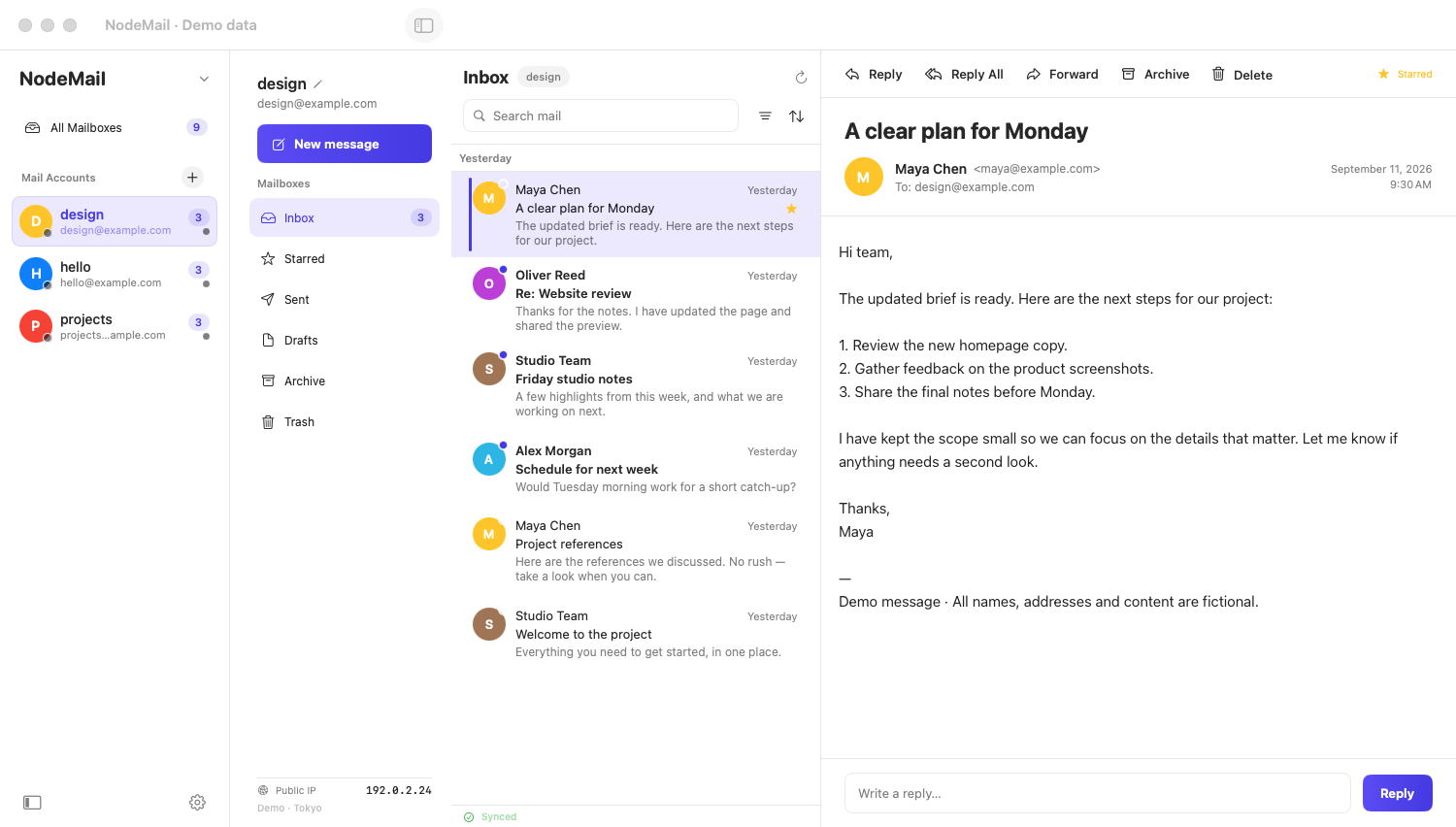
Choose Direct, a Clash/Mihomo node or manual SOCKS5 for each mailbox. IMAP and SMTP use the selected route.
DEMO
Bring your own nodes. NodeMail does not sell fixed IPs. Egress stability depends on your node provider. Routing does not guarantee how external platforms assess accounts.
Manage multiple mailboxes in one native Mac workspace. Choose Direct, Clash or SOCKS5 connections for each account.
Who uses NodeMail?
Choose Direct, a Clash/Mihomo node or manual SOCKS5 for each mailbox. IMAP and SMTP use the selected route. Egress stability depends on your node provider. Routing does not guarantee how external platforms assess accounts.
No separate proxy software: native SOCKS5 upstream, Clash/Mihomo subscription URLs and local YAML imports, with a one-click latency test per node (Baidu / Google / GitHub) — pick the fastest.
A native four-column layout keeps everything on one screen — accounts, mailboxes, message list, reading pane — with an aggregated All Accounts inbox, unified full-text search and a ⌘K command bar. No more account juggling.
IMAP IDLE updates the inbox and supports notifications. Delivery depends on your provider and connection; cached mail remains readable offline.
Each mailbox can use its own persistent browser profile for local sessions. This does not guarantee anonymity or prevent platform account linking.
Gmail, Outlook, Microsoft 365, Zoho: IMAP/SMTP access requires your provider’s permission and supported credentials. Setup and account policies vary by provider.
Manage multiple mailboxes in one native Mac workspace. Choose Direct, Clash or SOCKS5 connections for each account.
IMAP/SMTP access requires your provider’s permission and supported credentials. Setup and account policies vary by provider.
Choose Direct, a Clash/Mihomo node or manual SOCKS5 for each mailbox. IMAP and SMTP use the selected route.
IMAP IDLE updates the inbox and supports notifications. Delivery depends on your provider and connection; cached mail remains readable offline.
Start free with one mailbox. Pro supports up to 50 mailbox accounts per Mac as a performance guardrail.
| Feature | Free | Pro |
|---|---|---|
| Mailboxes per Mac | 1 | Up to 50 |
| Dedicated node per account | Yes | Yes |
| Built-in proxy stack (SOCKS5, Clash/Mihomo) | Yes | Yes |
| IMAP IDLE push and notifications | Yes | Yes |
| Offline cache and full-text search | Yes | Yes |
| See the full comparison | ||
Manage multiple mailboxes in one native Mac workspace. Choose Direct, Clash or SOCKS5 connections for each account.
macOS 14+ · Apple Silicon · Free: 1 mailbox
Version 0.1.0 · build 2 · ≈ 492 MB
Allow Google Analytics to measure public visits, downloads, guides and plan choices, plus successfully started checkouts and paid subscriptions (first payments and renewals) linked to recent browser activity? This is not a complete payment record. Separate cookieless Cloudflare Web Analytics statistics are unaffected. Privacy Policy
Try again later, or contact support if you still cannot purchase.